Back to: Linking to Care, Point of Care Testing (POCT). Aotearoa Edition
0
x
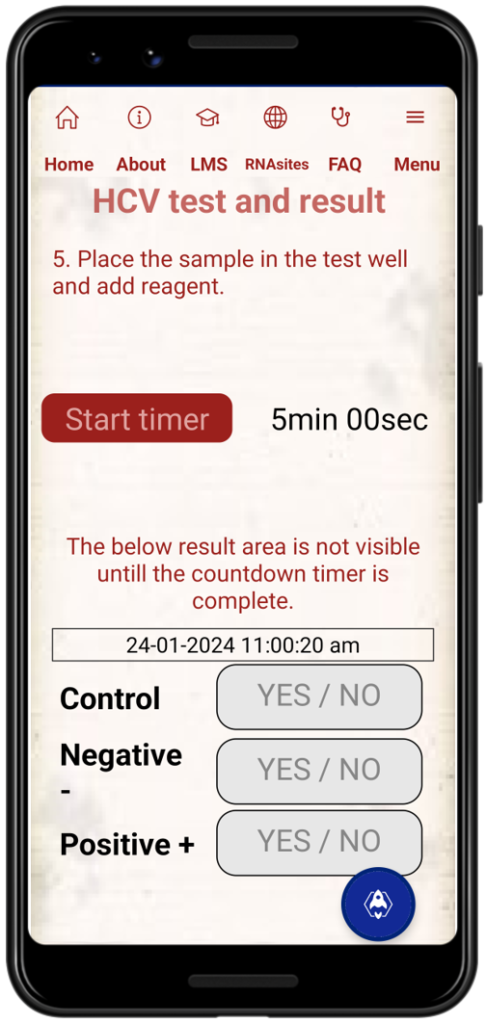
- Once your timer reaches five (5) minutes you can take an initial reading of the test device and your wai ora test result.
- Again, the test is readable after five (5) minutes and up to twenty (20) minutes following addition of the Assay Solution.
- Do not read after twenty (20) minutes, reading outside of this timeframe may produce incorrect or false results.
- This technically is “interpretation” of the test results. These types of tests make interpretation very simple. Effectively we will read the result and record it.
- T. The T is for Test. A positive test will be indicated by any red line appearing next to the T. Any indication, even a faint red line, is considered a positive result. Clarity and visibility are not of importance, any indication of a red line is recorded as a positive result.
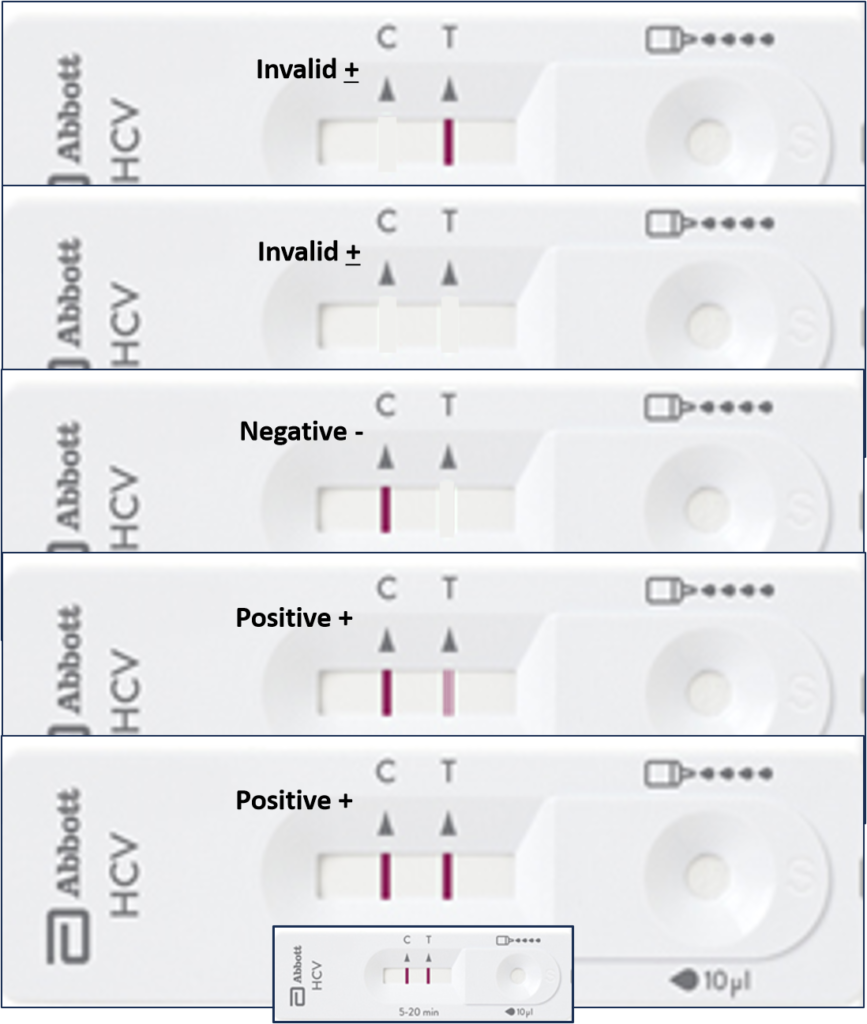
- C. The C is for Control. The Control line MUST indicate as a red line or the test device, and the test, is INVALID. In this event the test must be repeated using another complete test set up and equipment.
- C Only indicates red; Non-reactive or Negative result.
- C & T indicate red; HCV Reactive or Positive result.
- No red lines; Invalid test device and Invalid test result.
- T indicates red, C no red indication; Invalid Test Result
Within the Health Network Collective mobile application, the lower section for recording test results will not be visible or accessible until the timer has completed a full 5-minute minimum countdown cycle.
- Time and date are automatically recorded when you enter the test results.
- Control; enter Yes or No for the indication of a red line next to C on the test device
- Negative or non-reactive; enter Yes or No for the indication of a red line next to T on the test device
- Positive or reactive; enter Yes or No for the indication of a red line next to T on the test device
Congratulations, now that you have gone through our Health Network Collective step by step lesson in HCV POCT, follow this link to view a short video by Abbott demonstrating the complete test process. Once on the Abbott page scroll down to the videos section and you will find the videos.
You will also find for download from the course materials section on this page, an Abbott Bioline HCV Fingerstick Quick Reference Guide. If you can print it out and carry with you.